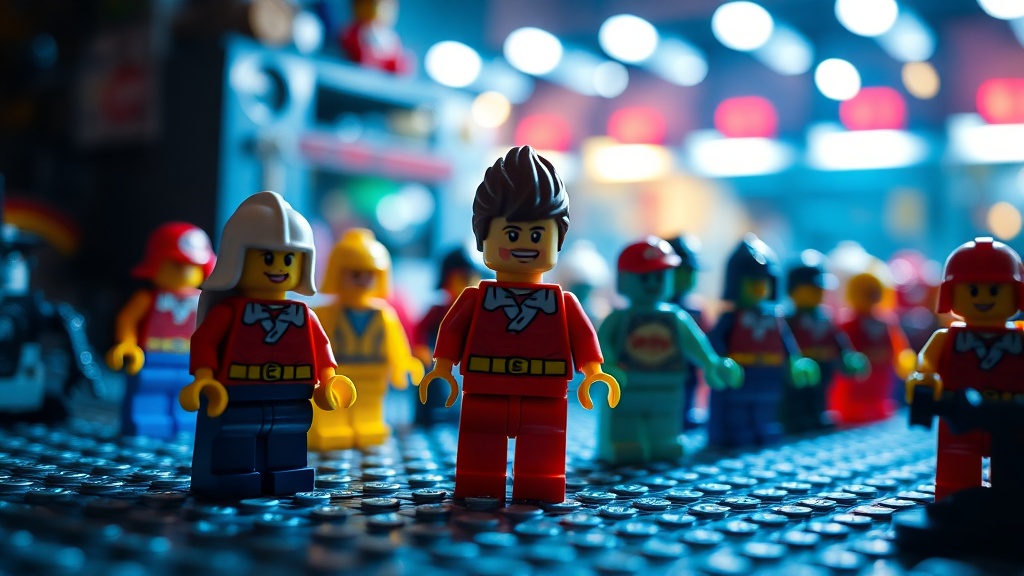
Photographing LEGO Minifigures: A Practical Guide for Collectors

Photographing LEGO minifigures isn't just about pointing a camera and clicking the shutter. Whether you're documenting your collection for insurance purposes, preparing listings for sale, or sharing your finds with online communities, the quality of your images directly impacts how others perceive your minifigures. Poor lighting, distracting backgrounds, and blurry details can make even rare, valuable figures look unappealing—or worse, make genuine pieces appear suspicious to potential buyers. This guide covers practical techniques for capturing sharp, accurate photos that showcase your collectibles at their best without requiring expensive equipment or professional photography experience.
What Basic Equipment Do You Need for Minifigure Photography?
You don't need a professional studio to shoot quality minifigure photos. A modern smartphone with a decent camera handles the technical requirements for most collector needs. The key is stability—camera shake ruins more minifigure photos than any other factor. A simple tripod, phone mount, or even a stack of books to rest your hands on makes a noticeable difference in sharpness.
For collectors wanting more control, a dedicated camera with manual settings opens additional possibilities. Any camera with a macro mode or interchangeable macro lens lets you get closer to your subjects while maintaining focus. A 50mm lens with extension tubes works well for entry-level DSLR or mirrorless setups. The Canon 50mm f/1.8 (often called the "nifty fifty") paired with inexpensive extension tubes delivers excellent results for under $200 total.
Background materials matter more than most beginners realize. White poster board creates clean, distraction-free images perfect for sales listings. Black velvet or felt absorbs light and adds drama for showcase shots. Some collectors build simple lightboxes from cardboard and tissue paper—an effective DIY solution that costs under $10. Whatever surface you choose, keep it clean. Dust, fingerprints, and pet hair show up prominently in close-up shots of small figures.
How Do You Light Minifigures to Show True Colors and Details?
Lighting separates amateur snapshots from professional-looking product photography. Minifigures present unique challenges: they're small, reflective, and often feature subtle color variations that poor lighting can distort. The goal is even, diffused illumination that reveals printing details without creating harsh shadows or blown-out highlights.
Natural window light provides an excellent starting point for collectors. Position your minifigure near a large window during overcast conditions or when the sun isn't directly streaming through. North-facing windows (in the Northern Hemisphere) offer consistently soft light throughout the day. If direct sunlight hits your shooting area, hang a white sheet or diffuser panel to soften it. Hard light creates specular highlights on glossy plastic that obscure details and make post-processing difficult.
Artificial lighting gives you control regardless of time or weather. Two light sources positioned at 45-degree angles to your subject create balanced illumination with minimal shadows. LED panels, desk lamps with daylight bulbs, or even a pair of flashlights bouncing off white walls work in a pinch. The critical element is diffusion—shining bare light sources directly at minifigures produces harsh reflections and deep shadows. Shoot through white umbrellas, layer parchment paper over your lights, or use purpose-built softboxes to spread the light evenly.
Color accuracy matters when selling minifigures online. Different light sources have different color temperatures that can make identical figures appear different in photos. Daylight-balanced bulbs (5000K–6500K) render colors closest to how they appear under natural light. Avoid mixing light sources with different color temperatures—combining warm tungsten bulbs with cool daylight creates color casts that confuse buyers about the actual figure condition. The Cambridge in Colour guide to white balance offers deeper technical explanation for photographers wanting to understand these concepts.
What Camera Settings Capture Sharp Minifigure Images?
Camera settings for minifigure photography prioritize depth of field and sharpness over creative effects. You want the entire figure in focus, from the printing on the torso to the details on the legs. This requires understanding aperture, shutter speed, and ISO—and how they interact in close-up situations.
Aperture controls depth of field. For full-figure shots, use f/8 to f/11 on dedicated cameras, or your phone's standard mode rather than portrait mode (which artificially blurs backgrounds). These middle apertures provide enough depth of field to keep the entire minifigure sharp while avoiding the optical softness that occurs at minimum and maximum aperture extremes. Macro photography at close distances naturally reduces depth of field, so you'll need smaller apertures than you might expect.
Shutter speed prevents motion blur from camera shake. The general rule—use a shutter speed faster than your focal length—doesn't apply directly to macro work because magnification amplifies any movement. At 1:1 magnification, use speeds of 1/250 second or faster, or mount your camera on a tripod and use a remote shutter release or self-timer to eliminate hand contact during exposure. Smartphones handle this automatically but benefit equally from stabilization.
ISO determines light sensitivity. Lower ISO values (100–400) produce cleaner images with less noise, but require more light or slower shutter speeds. Modern cameras handle higher ISOs well, but for collectible documentation where fine details matter, prioritize keeping ISO low and adding light instead. Phone cameras automatically manage ISO, though some apps allow manual control for enthusiasts wanting more precision.
How Do You Stage Minifigures for Sales and Showcase Photography?
Staging—how you position and present your minifigure—varies depending on your purpose. Sales photography requires accuracy and clarity. Showcase photography allows creativity and storytelling. Understanding the difference helps you shoot appropriately for each situation.
For sales listings, straightforward presentation builds buyer confidence. Shoot the minifigure straight-on at eye level against a clean white or neutral gray background. Capture multiple angles: front, back, and both sides at minimum. Include close-ups of any printing, accessories, or condition issues. Show the figure disassembled slightly—torso separated from legs, head removed—to prove all parts are genuine LEGO and not glued reproductions. Consistent lighting and backgrounds across your listings create professional credibility that increases buyer trust and reduces questions.
Showcase photography for social media or personal archives offers more creative freedom. Experiment with dynamic angles, environmental storytelling, and thematic backgrounds. A pirate minifigure photographed on actual sand with dramatic sunset lighting tells a story that white-background product shots cannot. Action poses—jumping, swinging, running—add energy but require faster shutter speeds or practice to execute sharply. The Brothers Brick community showcases exceptional examples of creative LEGO photography that might inspire your own experiments.
Accessory management requires thought. Include all original accessories in sales photos, arranged neatly beside the figure. For showcase shots, decide whether accessories enhance or distract from your composition. A Jedi minifigure looks incomplete without a lightsaber, but a crowded frame of ten accessories surrounding a basic figure confuses the eye. Remove accessories that don't contribute to the story you're telling.
How Do You Edit Photos Without Misrepresenting the Actual Minifigure?
Post-processing improves photos but ethical boundaries exist—especially for sales images. Basic adjustments to exposure, contrast, and white balance correct for lighting limitations and help the photo match the physical item. Heavy editing that obscures flaws, changes colors, or removes damage crosses into misrepresentation.
Start with white balance correction. Even with careful lighting, photos often carry slight color casts. Use your editing software's white balance eyedropper on a neutral area of your image (white LEGO brick, gray background) to establish true color reference. This single adjustment often transforms an obviously "photographed" image into one that looks natural and accurate.
Exposure adjustments brighten underexposed images or recover detail in slightly overexposed areas. Be conservative—pushing sliders to extremes introduces noise and artifacts. Sharpening helps compensate for the slight softness inherent in macro photography, but aggressive sharpening creates halos around edges that look artificial. Cropping removes distracting edge elements and improves composition, but never crop so tightly that you hide condition issues.
For sales photos specifically, disclose any editing in your listing description. "Color-corrected to match actual appearance" reassures buyers that you've adjusted the photo rather than the figure. When in doubt, include an unedited photo alongside your processed version. Transparency prevents disputes and returns that hurt both parties.
Developing your minifigure photography skills takes practice, but the investment pays dividends. Quality photos help you command better prices when selling, document your collection accurately for insurance, and share your passion with communities who appreciate well-presented collectibles. Start with the basics—stable camera, soft light, clean background—and refine your technique as you shoot. Each minifigure you photograph teaches you something about lighting angles, color behavior, and composition that improves your next session. The collectors who buy your figures—or simply enjoy seeing them online—will notice the difference.